Billing
The invoice is already written
Billing pulls the line items from the order that produced them. Nothing is retyped, so the gap between finishing work and sending the bill stops being where your cash flow goes.
- Built from the order
- Tax applied by your settings
Order to payment
Four steps, none of them retyping
Pick the order or customer
The line items come from the record that already exists, so the invoice starts populated rather than blank.
Adjust what needs adjusting
Notes, a due date, and your branding. Tax is applied from your settings rather than worked out per invoice.
Send it
Email the invoice or share a payment link. It leaves with your logo, your terms, and the right totals on it.
Watch the status
Paid, pending, and overdue sit against the invoice, so following up is reading a list rather than searching an inbox.
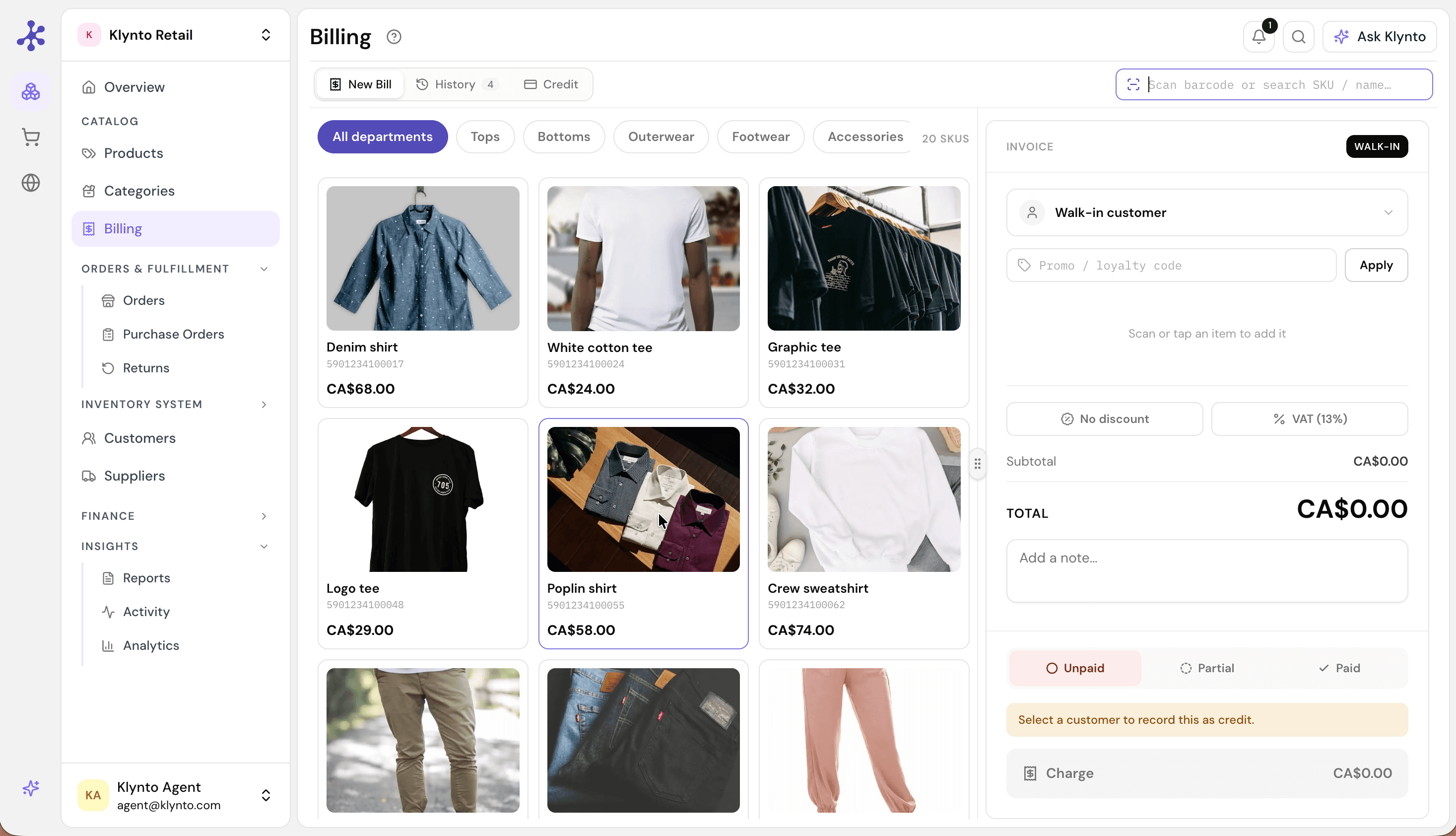
A bill built at the counter — scan or tap an item, apply tax and discount from settings, and settle it as paid, partial, or credit.
The document
What an invoice can carry
The parts people check before moving their billing across.
Tax
- VAT and tax
- Applied automatically
- Rules
- From your settings
- Per-invoice maths
- Not required
Currency
- Multi-currency
- Supported
- Customer currency
- Billed in theirs
- Manual conversion
- Not required
Branding
- Logo
- Yours
- Colours
- Yours
- Payment terms
- Set per invoice
Scheduling
- Recurring invoices
- Supported
- Cadence
- Your schedule
- Sending
- Automatic
Where it pays off
Two habits it removes
Rebuilding the same invoice monthly
Retainers and subscriptions bill on a schedule instead of on a reminder. The invoice you would have rebuilt every month generates and sends itself, which is the difference between recurring revenue and recurring admin.
- Recurring invoices on your cadence
- Generated and sent without prompting
- Same branding and terms every cycle
Reconstructing what you are owed
Receivables should be something you read, not something you assemble from an inbox at month end. Every invoice carries its status, so the total outstanding and who is overdue are already the answer.
- Paid, pending, and overdue per invoice
- Balance and history per customer
- Notification the moment one is paid
Included
What the module carries
Instant invoices
Generated from any order in one step.
Your branding
Logo, colours, and payment terms.
Payment tracking
Paid, pending, and overdue at a glance.
Recurring billing
Repeat clients billed on schedule.
Multi-currency
Bill customers in their own currency.
VAT & tax
Calculated and applied from your settings.
Raise one and time it
Pick an order, send the invoice it produces, and see how much of the work was already done.